



Fontke.com>Article>Details
保护IE8雅黑字体 让页面永远圆润
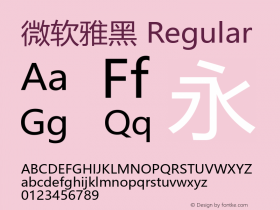
Introduction微软在Windows 7中引入了“微软雅黑”字体,这比原来默认的宋体字看上去更圆润,视觉效果比以前更好。因此,有用户在IE8中将默
微软在Windows 7中引入了“微软雅黑”字体,这比原来默认的宋体字看上去更圆润,视觉效果比以前更好。因此,有用户在IE8中将默认显示的字体设置为“微软雅黑”。但很多时候,你设置好的微软雅黑字体,总是莫名其妙的会被第三方浏览器,或者是其他用户人为的修改会宋体。
对此,有网友给予的解决方法是,通过修改注册表,将Windows Vista和Windwos 7中的IE8显示的页面字体“固定”下来,不论是第三方浏览器还是其他用户,都无法修改你所喜欢的“微软雅黑”字体。
在Windows 7中,运行注册表编辑器,依次展开到HKEY_CURRENT_USER/Software/Microsoft/Windows Sidebar/IEOverride/Styles,双击右侧窗口中的“Use My Stylesheet”,在弹出的窗口中将默认值修改为“1”。

图1 修改Use My Stylesheet的值
保存设置后,退出注册表编辑器。
编辑点评:这个方法看似是只针对侧边栏文字显示样式,但据投稿网友的内容,修改后,效果同样可以作用于Windows 7下的IE8页面。
雅黑字体本地下载:
http://www.myfiles.com.cn/soft/36/36806.htm
Relevant font family
Relevant font foundry

保护IE8雅黑字体 让页面永远圆润 Comments
保护IE8雅黑字体 让页面永远圆润 Latest comments
No relevant comments
-
 ShanhaiFonts
Brand:山海字库
Area:China

-
 Cangji Fonts
Brand: 仓迹字库
Area: China
-
 JT Foundry
Brand: 翰字铸造
Area: Taiwan, China

-
 Handmadefont
Brand:
Area: Estonia

-
·千图字体
-
 HyFont Studio
Brand: 新美字库
Area: China









Recommended font article
- ·"Die Alpen – Vielfalt in Europa" stamp
- ·How House Industries Designs Its Retrotastic Logos and Typefaces
- ·47 free tattoo fonts for your body art
- ·Alphabet Stories by Hermann Zapf
- ·Jim Nutt: Coming Into Character at Museum of Contemporary Art Chicago
- ·The Future of Sex poster
- ·10 Top Romantic Fonts on Valentine's Day!
- ·New York New York, Jazz St. Louis
- ·Bevésett nevek (Carved Names), vol. 2
- ·Barbe à papa Cotton Candy