



Fontke.com>Article>Details
解决Linux下Wine中文对话框字体乱码的问题
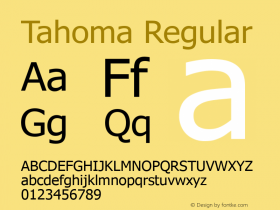
IntroductionWine中中文存在很多的乱码,Wine中对话框默认的字体是Tahoma,在我们的Linux上,Tahoma字体是无法正常显示中文的。比如Wine configuration中的确定、取消等就变成了 ??的字样。 解决方法很简单: 在
Wine中中文存在很多的乱码,Wine中对话框默认的字体是Tahoma,在我们的Linux上,Tahoma字体是无法正常显示中文的。比如Wine configuration中的“确定”、“取消”等就变成了<< >> ??的字样。
解决方法很简单:
在Wine的regedit中,找到:HKEY_LOCAL_MACHINE\Software\Microsoft\Windows NT\CurrentVersion\Font\Substitutes
方法1:直接地将这个键设为空,问题就解决了。
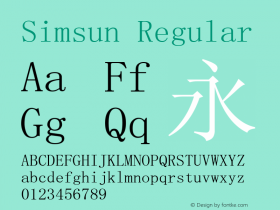
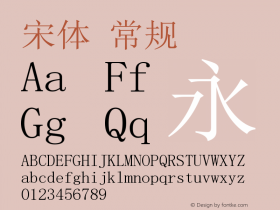
方法2:将MS Shell Dlg设置为一种自己字库中已有的中文字体即可,如果已经将windows中宋体取来使用了,字库中SimSun对应宋体(这是Windows的,Linux下默认是没有的),在这里设置为 SimSun即可。
Relevant font family
解决Linux下Wine中文对话框字体乱码的问题 Comments
解决Linux下Wine中文对话框字体乱码的问题 Latest comments
No relevant comments
-
 ShanhaiFonts
Brand:山海字库
Area:China

-
 Cangji Fonts
Brand: 仓迹字库
Area: China
-
 JT Foundry
Brand: 翰字铸造
Area: Taiwan, China

-
 Handmadefont
Brand:
Area: Estonia

-
·千图字体
-
 HyFont Studio
Brand: 新美字库
Area: China










Recommended font article
- ·Make market-ready fonts with this 8 point checklist
- ·Japanese Typography Writing System
- ·The Form Book by Borries Schwesinger
- ·Sinnesreize / Embracing Sensation by Silvia Gertsch and Xerxes Ach
- ·How to sell your typefaces
- ·20 Houses. A New Residential Landscape exhibition, Wallpaper* Architects Directory
- ·Food Not Bombs hypothetical redesign
- ·"Die Alpen – Vielfalt in Europa" stamp
- ·Hollywood Star Matt Damon Wrote Better Chinese than Chinese Stars
- ·Once Upon DESIGN: New Routes for Arabian Heritage