



Linux系统下使用Windows XP字体美化汉字
在Windows XP已挂载的情况下:
拷贝三个字体文件:
mkdir -p /usr/share/fonts/zh_CN/TrueType/
sudo cp /media/hda1/windows/fonts/simsun.ttc /usr/share/fonts/zh_CN/TrueType/
sudo cp /media/hda1/windows/fonts/SURSONG.TTF /usr/share/fonts/zh_CN/TrueType/
sudo cp /media/hda1/windows/fonts/tahoma.ttf /usr/share/fonts/zh_CN/TrueType/
sudo cp /media/hda1/windows/fonts/tahomabd.ttf /usr/share/fonts/zh_CN/TrueType/
sudo chmod 644 /usr/share/fonts/zh_CN/TrueType/*
cd /usr/share/fonts/zh_CN/TrueType/
sudo mkfontscale
sudo mkfontdir
更新linux字体列表:
sudo fc-cache /usr/share/fonts/zh_CN/TrueType/
通过替换/etc/fonts/language-selector.conf来配置字体,不要更改/etc/fonts/fonts.conf。
sudo gedit /etc/fonts/language-selector.conf
修改为:
serif
Bitstream Vera Serif
SimSun
DejaVu Serif
AR PL ShanHeiSun Uni
AR PL ZenKai Uni
sans-serif
Bitstream Vera Sans
SimSun
DejaVu Sans
AR PL ShanHeiSun Uni
AR PL ZenKai Uni
monospace
Bitstream Vera Sans Mono
DejaVu Sans Mono
SimSun
Song
Sun
Kai
Ming
180
true
Song
Sun
Kai
Ming
false
0
true
false
true
18
false
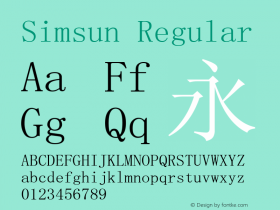
SimSun
SimSun-18030
AR PL ShanHeiSun Uni
AR PL New Sung
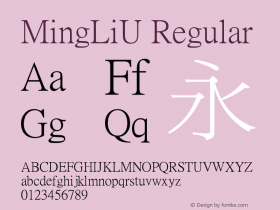
MingLiU
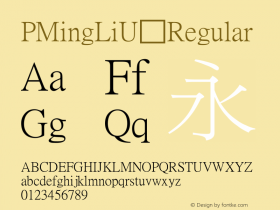
PMingLiU
Tahoma
Verdana
宋体
SimSun
新宋体
SimSun
仿宋_GB2312
FangSong_GB2312
楷体_GB2312
KaiTi_GB2312
黑体
SimHei
设置字体渲染为单色:“系统”->“首选项”->“字体”。

-
 ShanhaiFonts
Brand:山海字库
Area:China

-
 Cangji Fonts
Brand: 仓迹字库
Area: China
-
 JT Foundry
Brand: 翰字铸造
Area: Taiwan, China

-
 Handmadefont
Brand:
Area: Estonia

-
·千图字体
-
 HyFont Studio
Brand: 新美字库
Area: China









- ·New York New York, Jazz St. Louis
- ·Fonts Design of Childhood Memory
- ·Top 100 Fonts.com Web Fonts for May 2016
- ·Königsblut identity
- ·Ad for Hello Dummy! by Don Rickles
- ·The Form Book by Borries Schwesinger
- ·Ad for Vincebus Eruptum by Blue Cheer
- ·Make market-ready fonts with this 8 point checklist
- ·Surabaya Beat by Beat Presser, Afterhours Books
- ·"Fantastic!" ad for Captain Fantastic & the Brown Dirt Cowboy by Elton John & Bernie Taupin