



Google网页字体在线服务启动
目前网页上使用的字体都是常见的几种,如Lucida Grande,Verdana,Arial,Sans-Serif,中文常见的有宋体。要想用比较个性的字体就比较麻烦了,因为你不能保证客户端是否支持这种字体,常用的方法是用Photoshop把文字制作成图片。为了让网页设计更加灵活,Google从2010年5月19日启动了网页在线字体服务,并一口气发布了十八字体族。但与 Monotype Web Fonts、FontShop等字体商不同,Google这次开放的字体与它其他很多服务一样,完全免费。
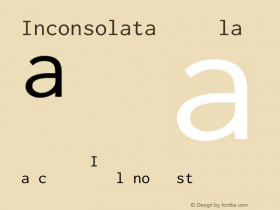
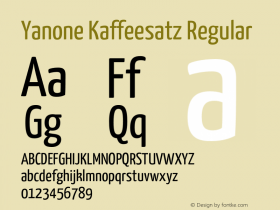
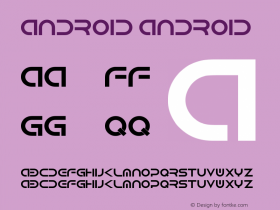
Google 目前提供的字体共有十八种,均为目前比较流行的免费字体,包括为 Android 而开发的 Droid 系列,被称为“Fonts for Scholars”的 Cardo,为代码印刷而设计的 Inconsolata,业余之作而不胫走红的 Yanone Kaffeesatz 等等,其中最能引人注目的是字体师 John Fell 设计的 IM Fell 字体。
我想每个网页设计师都会觉得这是个好消息,又一个来自Google的福音吧!
想使用它们吗?使用这些字体无需付费,也不必注册,只需要做简单的几步,举个例子,如果你想 在你的网页中使用“Tangerine”这种字体:
1.在网页头部加入代码
<link rel="stylesheet" type="text/css" href="http://fonts.googleapis.com/css?family=Tangerine">
2.在你的CSS样式表中加入
body {
font-family: 'Tangerine', serif;
font-size: 48px;
}
(注:这是让页面所有元素的字体都变成Tangerine,如果只想局部Tangerine字体只要改变CSS选择器就可以了!)
3.刷新查看效果即可。
如果想详细的了解Google在线字体的话,请到官方主页http://code.google.com/webfonts




-
 ShanhaiFonts
Brand:山海字库
Area:China

-
 Cangji Fonts
Brand: 仓迹字库
Area: China
-
 JT Foundry
Brand: 翰字铸造
Area: Taiwan, China

-
 Handmadefont
Brand:
Area: Estonia

-
·千图字体
-
 HyFont Studio
Brand: 新美字库
Area: China







- ·Antropofagia. Palimpsesto Selvagem
- ·Moving Hands (Helena Hauff Remix) by The Klinik, official video
- ·Quimbaya Coffee Roasters
- ·Troubadour poster, Opera Plovdiv
- ·Cocoa Marsh Instant Fudge Candy Mix packaging
- ·"Fantastic!" ad for Captain Fantastic & the Brown Dirt Cowboy by Elton John & Bernie Taupin
- ·47 free tattoo fonts for your body art
- ·Alibaba Supports Font Infringement Complaints
- ·20 Houses. A New Residential Landscape exhibition, Wallpaper* Architects Directory
- ·Alphabet Stories by Hermann Zapf